Category: For Designers

  • When Should You Outsource Your Wedding Stationery Printing? A Practical Decision Guide for Designers

    When Should You Outsource Your Wedding Stationery Printing? A Practical Decision Guide for Designers

    Printing orders yourself can make sense when volumes are manageable and your equipment suits the work. But as a stationery business grows, production can start to take time away from design, marketing and customer service. The decision to outsource is not simply about being busy: it is about whether in-house production remains the right use of your time, equipment and budget.

    This guide sets out the signs to look for, what to weigh up and how a trade printing partner can fit into your business without taking your brand or customer relationships out of your hands.

    Signs your production process may be holding you back

    Printing and finishing are taking time from other work

    Keep track of how much time you spend preparing files, printing, trimming, checking and packing orders. Include time spent reprinting work or correcting production issues. If these tasks regularly push design work, marketing or customer enquiries into evenings and weekends, compare the cost of that time with the cost of outsourcing.

    There is no universal point at which a business should outsource. The useful question is whether production is taking time away from work that would help the business more.

    Your equipment limits the products you can offer

    Some designs call for sizes, shapes or production methods that may not be practical with the equipment you already own. Distinctive formats such as arches, waves and scallops, for example, can require suitable cutting capabilities. Before investing in equipment, consider how often you would use it, the cost of setup and maintenance, and whether a trade printer can produce the work instead.

    Outsourcing can also make it easier to explore a broader range of papers, boards and coordinated stationery. Check the partner’s actual specifications and available options rather than assuming every stock, size or finish will be suitable.

    Results are difficult to repeat consistently

    Small differences in colour, trimming or finishing can become more noticeable when an order includes several coordinated items. If your current process makes it difficult to reproduce the same result from one batch to the next, work out where the variation is coming from before deciding what to change.

    A trade printer may be able to offer a more repeatable production process, but consistency still depends on factors such as the supplied artwork, materials and production specifications. Ask how orders are checked and what information they need from you.

    What to weigh up before outsourcing

    When Should You Outsource Your Wedding Stationery Printing? A Practical Decision Guide for Designers

    The full cost, not just the print price

    Compare the cost of outsourcing with the full cost of producing an order in-house. Alongside paper and ink, account for equipment, maintenance, test prints, spoilage, packaging and your own production time. Then consider the trade price, delivery and any other charges involved in ordering from a supplier.

    Outsourcing may not be the cheapest option for every job. It can still make commercial sense if it saves substantial time, avoids an equipment purchase or lets you offer work that would otherwise be impractical.

    How much control you need

    When you outsource, you still own the design and the customer relationship, but you rely on a supplier to make the physical product. Find out how artwork is submitted, what checks are carried out and how questions or problems are handled. Where available, reviewing a sample or test print can help you assess paper, colour and finish before offering a product to customers.

    Build the supplier’s production and delivery timings into the schedule you give your customer. Do not assume that a trade partner’s turnaround will match your in-house process.

    Whether your orders are ready to hand over

    Before placing an order, make sure your artwork and product details are clear and consistent. That might include the finished size, quantity, paper choice, print requirements and any finishing or shape requirements. Confirm the supplier’s file guidance and proofing process; requirements vary between printers.

    A clear handover reduces the risk of avoidable questions, errors or delays. It also makes it easier to repeat successful orders.

    When a trade printing partner may be a good fit

    When Should You Outsource Your Wedding Stationery Printing? A Practical Decision Guide for Designers

    Outsourcing is worth exploring when production regularly competes with other priorities, when customers are asking for products your current setup cannot produce, or when buying and maintaining additional equipment does not make sense for your order volumes.

    You do not have to outsource everything. Some designers keep short runs or prototypes in-house and send larger, more complex or coordinated orders to a trade printer. A hybrid approach can help you retain flexibility while reducing the production work that takes the most time.

    Use outsourcing to broaden your range thoughtfully

    A production partner can help you offer more than invitations, including coordinated save-the-dates, information cards, menus, place cards and other wedding stationery. Before adding products to your range, check that the available sizes, shapes and materials suit your designs and that the costs work for your pricing.

    Start with a small number of products, learn how the ordering process works and refine your artwork handover before expanding further. This is more manageable than adding a large range before you understand the production requirements.

    Keep your brand and customer relationship

    White-label wedding stationery printing is intended to support your business behind the scenes: you retain your designs, brand and relationship with the customer, while a production partner makes the printed items. If white-label handling matters to you, confirm how the supplier manages packaging, paperwork and customer information before placing an order.

    Questions to ask a potential trade printer

    • Which papers, boards, sizes and shapes can you produce?
    • What artwork specifications and file formats do you require?
    • How do proofs, corrections and approval work?
    • How are colour and cutting checked during production?
    • What are the costs, delivery arrangements and expected production timings for the products I need?
    • Can orders be supplied white-label, and how are they packaged?

    Frequently asked questions

    When should a stationery designer outsource printing?

    Consider it when in-house production regularly takes time away from design and customer work, your equipment limits the products you can offer, or you need a production process that better suits your order volume. Compare the full costs and practicalities before deciding.

    Will outsourcing mean losing control of my brand?

    Not necessarily. With a white-label arrangement, the designer retains their brand and customer relationship while the printer handles production. Confirm the supplier’s specific processes for packaging, paperwork and customer information.

    Should I outsource every order?

    No. The right approach depends on your products, volumes, equipment and available time. You might keep some work in-house and outsource orders that are larger, more complex or less practical to produce yourself.

    Wedding Print Works is being developed as a trade production partner for stationery designers and businesses. If you are considering trade wedding stationery printing, compare the products, specifications and processes available with the needs of your own range before choosing a supplier.

  • White‑Label Wedding Stationery Printing: How It Works and Why It Matters for Designers

    White‑Label Wedding Stationery Printing: How It Works and Why It Matters for Designers

    White-label wedding stationery printing allows you to outsource physical production while keeping your own brand and client relationships. You supply the designs and specifications; a print partner produces the finished items for you to sell under your business name.

    For designers and small stationery businesses, this can make it easier to offer coordinated collections without buying production equipment or taking every job through your own workspace. The key is choosing a partner whose process, materials and communication suit the way you work.

    What does white-label wedding stationery printing mean?

    In a white-label arrangement, a third-party printer makes products that are sold under your brand rather than the printer’s. Depending on the agreement, the printer may produce the stationery for you to check, pack and send, or the products may be prepared for another agreed fulfilment arrangement.

    White-label does not automatically settle every detail. Before placing work, clarify whether the printer’s name will appear on the products, packaging, paperwork or delivery information, and who will handle packing, dispatch and any client queries.

    Why use a trade print partner?

    Outsourcing production can free up time for design, marketing and customer service. It may also let you offer products or quantities that would be difficult to produce in-house, without investing in specialist equipment or managing every production step yourself.

    A production partner can help turn approved artwork into printed and finished stationery. Your role remains central: you shape the collection, advise your client, approve the proof and manage the customer relationship. The printer’s role is to manufacture to the agreed specification.

    When comparing suppliers, look beyond the word “white-label”. Ask how they handle artwork, proofs, paper choices, finishing, quality checks, reprints and delivery. Clear answers help you set realistic expectations with your own customers.

    How white-label printing works

    Wedding stationery being prepared for print production

    1. Agree the specification

    Start by confirming the finished size and shape, paper or board, print requirements, quantity and any finishing details. Include how the pieces relate to one another if you are ordering a suite. A clear specification reduces avoidable queries and gives both you and your supplier a shared reference point.

    2. Prepare and approve artwork

    Supply files in the format and layout requested by the printer. Check spelling, names, dates, alignment and any details that matter to the design before approval. Ask how proofs are supplied and what they show: a digital proof can help check layout and content, but it may not represent the exact colour or feel of the final stock.

    3. Production and quality checks

    Once the artwork and specification are approved, the printer produces the order and checks it against the agreed requirements. Ask what checks are included and how any issue is handled. Colour and appearance can be affected by the artwork, printing process and chosen stock, so discuss expectations before production rather than relying on an on-screen preview alone.

    4. Packing and delivery

    Agree in advance where the finished stationery will be sent and how it will be presented. If you want a fully white-label experience, confirm whether supplier branding is excluded from the products and any accompanying packaging or paperwork.

    Building a coordinated stationery range

    Coordinated wedding stationery pieces arranged as a collection

    A production partner can help you develop a broader offer around a design. Depending on the products and specifications available, a collection might include save-the-dates, invitations, information cards, menus, place cards, table stationery and other printed wedding items.

    Choose materials to suit the design

    Paper and board affect the look, weight and feel of a finished piece. When selecting stock, consider how it supports the artwork, how it will be used and whether it needs to work across several items in the suite. Ask your printer which options are available and whether the chosen stock is suitable for the size, shape and production method.

    Consider shapes and finishing early

    Distinctive shapes, such as arches, waves and scallops, can help a collection feel individual. They also affect artwork preparation and production, so discuss the shape and finished dimensions with your printer before finalising the design. If you are considering specialist finishing, check what is available, how it affects the specification and whether it can be applied consistently across the pieces in your order.

    Keeping your brand and customer relationships

    In a white-label arrangement, you remain the designer and the customer-facing business. Your client buys from you, and you decide how the collection is presented and priced. The production partner works behind the scenes according to the agreed process.

    It is worth confirming practical details in writing: who communicates about artwork queries, who approves proofs, how changes are handled and who contacts the client if a delivery issue arises. A dependable workflow is as important to your brand as the finished print.

    Frequently asked questions

    What is white-label wedding stationery printing?

    It is a production arrangement in which a printer manufactures stationery designed or supplied by your business for you to sell under your own brand. The exact arrangements for branding, packing and delivery should be agreed with the supplier.

    Will my clients know who printed the stationery?

    That depends on the arrangement. Confirm whether the printer’s branding will appear on the stationery, packaging, paperwork or delivery information. White-label production should be discussed in practical terms rather than assumed to cover every part of fulfilment.

    Can I offer a full range of wedding stationery?

    A trade print partner may help you extend your range across items such as invitations, information cards, menus and place cards. Check the available products, materials, sizes, shapes and finishes before promising a particular option to a client.

    How can I check the quality before offering a product?

    Ask about the proofing process and request samples where available. A proof can help you check content and layout, while a physical sample gives a better sense of the stock and finish. Confirm how the printer handles production checks and any problems with an order.

    Wedding Print Works supports designers with trade wedding stationery printing, helping businesses keep their focus on design and customers while their stationery is produced to an agreed specification. Explore the options for designers.

  • What Is Bleed and Why Does Wedding Stationery Need It?

    What Is Bleed and Why Does Wedding Stationery Need It?

    A wedding invitation can look immaculate on screen but show a thin white edge after trimming. This often happens when colour or imagery stops exactly at the finished edge instead of extending beyond it. That extra artwork is called bleed.

    For stationery designers, getting bleed right is a straightforward way to reduce avoidable production issues. It matters on standard rectangular cards and needs particular attention on shaped designs, where the cut follows a curve or contour. Always check the printer’s artwork specifications before preparing a file: bleed requirements and file preferences can vary.

    What is bleed in printing?

    Bleed is the part of the artwork that extends beyond the intended trim line. During production, the sheet is cut to the finished size and the bleed is removed. Because cutting can involve small variations in position, extending the artwork past the edge helps prevent the unprinted paper showing at the finished edge.

    A bleed of 3 mm is commonly requested, but it is not a universal rule. Use the amount specified by your print partner, including for any shaped or die-cut work.

    Bleed, trim line and safe area

    Trim line

    The trim line marks the intended edge of the finished piece. It is a guide for production, not an area where important details should sit precisely: slight movement during cutting can affect the final position of the edge.

    Bleed area

    The bleed area sits outside the trim line. Extend any background colour, photograph, pattern or other edge-to-edge artwork into this area. The bleed is cut away, so it should not contain details that need to appear on the finished card.

    Safe area

    The safe area is inside the trim line. Keep names, dates, wording, logos and other important details comfortably within it. The appropriate margin depends on the design and the printer’s guidance; a border placed very close to the edge can also look uneven if the cut shifts slightly.

    What Is Bleed and Why Does Wedding Stationery Need It?

    When does wedding stationery need bleed?

    Bleed is needed wherever artwork is intended to reach the finished edge. For example, if a coloured background, illustration or photograph runs to the edge of an invitation, it should extend beyond the trim line.

    If the design has an unprinted border and the paper itself forms the edge, bleed may not be needed for that area. However, follow the printer’s file requirements and consider whether the border will still look balanced if the cut varies slightly.

    Setting up artwork for print

    1. Confirm the finished size and bleed requirement. Check the printer’s specifications before setting up the document. Do not assume the same amount applies to every product or shape.
    2. Extend edge-to-edge artwork. Continue backgrounds and other elements that should reach the edge beyond the trim line, through the full bleed area.
    3. Keep essential details inside the safe area. Allow room between the trim line and any text or important design elements.
    4. Export and check the file. Make sure the exported PDF includes the required bleed and is set to the correct finished size. Follow instructions about crop marks rather than adding them by default.
    5. Review the whole design at actual size. Check that no important details are too close to the edge and that backgrounds reach the edge of the bleed area.

    Using InDesign, Illustrator or Canva

    In Adobe InDesign, you can enter bleed values in the document setup and include the bleed when exporting a PDF. In Illustrator, set the document bleed and make sure it is included in the PDF export settings. In Canva, use the available bleed option when downloading a print PDF, then check the exported file against your printer’s requirements. Software settings do not replace a final check of the supplied artwork.

    Bleed for shaped and die-cut stationery

    Arches, waves, scallops and other shaped cards have a cut line that follows the outline of the design rather than a simple rectangle. Artwork intended to run to the edge needs to extend beyond that contour, following the printer’s supplied template or instructions.

    Keep wording and other important details well inside the cut line. On scalloped or curved edges, details placed close to the outline can appear uneven or may be affected by small variations in cutting. Check that the bleed is continuous around the entire shape, including curves and corners.

    What Is Bleed and Why Does Wedding Stationery Need It?

    Common bleed mistakes to avoid

    • Stopping artwork at the trim line. This can leave unprinted paper visible if the cut falls slightly outside the intended edge.
    • Adding bleed without extending the artwork. A larger page or bleed setting alone does not create extra artwork; the background or image must continue into that area.
    • Putting text too close to the edge. Bleed protects the edge-to-edge artwork, while the safe area protects important content.
    • Using a rectangular bleed for a shaped design. For shaped work, the artwork needs to extend beyond the actual cut contour.
    • Assuming every printer uses the same settings. Confirm bleed, document size, file format and crop-mark requirements with your production partner.

    Frequently asked questions

    How much bleed should I add to wedding stationery?

    Use the amount specified by the printer. A 3 mm bleed is common, but requirements can differ, particularly for shaped or die-cut products.

    Does a white-background design need bleed?

    If the paper is white and no printed element reaches the edge, bleed may not be necessary for the design itself. Check the printer’s file requirements, and take care with borders close to the trim line.

    Does bleed stop text being cut off?

    No. Bleed gives edge-to-edge artwork extra room beyond the trim line. Keeping text and essential details inside the safe area helps protect them from being trimmed.

    Should I add crop marks to my PDF?

    Only if the printer asks for them. Some production workflows use the PDF’s page and bleed information without customer-supplied crop marks, so follow the supplied file instructions.

    For designers arranging trade wedding stationery printing, a clear artwork template and file specification can make repeat production easier across invitations, information cards and coordinated pieces. Wedding Print Works provides production support for stationery businesses while they retain their own designs, brand and customer relationships.

  • RGB vs CMYK: A Canva Designer’s Guide to Print-Ready Colour

    RGB vs CMYK: A Canva Designer’s Guide to Print-Ready Colour

    A wedding invitation can look beautifully vivid on a Canva screen and print with softer, less saturated colours. That difference is often down to the way screens and print reproduce colour, but the file, paper and production process also matter. A few checks before you supply artwork can help you avoid surprises and make reprints more consistent.

    RGB and CMYK: what changes in print?

    RGB combines red, green and blue light to create colours on screens. CMYK uses cyan, magenta, yellow and black inks to reproduce colour on paper. Because a screen emits light while printed ink reflects it, the two systems cannot reproduce every colour in the same way.

    Some bright RGB colours, particularly vivid greens, blues and neons, sit outside the range that standard CMYK printing can reproduce. Converting them to a print colour space may make them appear less intense. The result also depends on the paper, ink and printing conditions, so changing a file to CMYK does not by itself guarantee a precise match to the screen.

    Preparing Canva artwork for print

    RGB vs CMYK: A Canva Designer’s Guide to Print-Ready Colour

    Before exporting, check the finished size, margins and any printer-specific file requirements. These details matter just as much as colour mode when you are preparing invitations, information cards or other coordinated stationery.

    Check the colour export options

    Canva’s available export settings can vary. When you download a PDF for print, check whether a CMYK colour profile is offered and follow the profile or file specification requested by your printer.

    If Canva does not offer the required setting, ask your print partner how they want the file supplied. Converting a PDF in other software can change colours and should not be treated as a guaranteed correction. If you do convert the file, inspect the result before sending it to production.

    Export a print-ready PDF

    PDF Print is generally the appropriate Canva export for printed stationery. Whether to include crop marks and bleed depends on the printer’s requirements, so check before selecting those options. Crop marks are not needed for every workflow, and a file with the wrong marks or page setup can cause confusion.

    Allow for bleed and keep important details clear of the trim

    Bleed is artwork that extends beyond the finished cut edge. It helps prevent an unprinted white sliver if the sheet shifts slightly during trimming. The amount required is set by the printer; 3 mm is common, but it is not a universal specification.

    Keep text, names, dates and other essential details comfortably inside the trim area. For shaped stationery, such as an arch or scalloped edge, confirm the finished dimensions and cutting requirements with your printer before laying out the design.

    How to improve colour consistency

    RGB vs CMYK: A Canva Designer’s Guide to Print-Ready Colour

    A monitor preview is not a reliable proof of the final printed colour: screens vary in brightness and calibration, and the paper affects how ink appears. For colours that are central to a client’s design or brand, discuss the options with your printer before committing to a full run.

    • Use a printed proof or sample where appropriate. It gives you a more useful reference than a screen preview, although the final production result can still vary slightly.
    • Keep a record of approved artwork and specifications. This makes repeat orders easier to manage and compare.
    • Check the supplied PDF at actual size. Look for unexpected colour changes, missing elements, low-resolution images and text too close to the trim.
    • Tell your printer about colour-critical details. A reference image or description can help explain what matters, but it is not a substitute for an agreed print specification.

    Working with a trade printer

    A trade printer can advise on file preparation, colour settings and the practical requirements for producing your stationery. Ask what format and colour profile they accept, how they want bleed set up, and whether a proof is available for your job. This is especially useful when developing a new design or ordering a large quantity.

    Wedding Print Works is being developed as a production partner for wedding stationery designers and businesses. Trade wedding stationery printing can let you keep your own brand and client relationships while outsourcing physical production, leaving more time for design, marketing and customer service.

    Frequently asked questions

    What is the difference between RGB and CMYK?

    RGB creates colours with light for screens. CMYK uses four printing inks to reproduce colours on paper. The two systems have different colour ranges, so some screen colours cannot be matched exactly in print.

    How do I export a Canva design for printing?

    Download the artwork as a PDF Print and follow your printer’s instructions for colour profile, bleed and crop marks. Canva’s export options can vary, so check what is available in your account and confirm the required settings with your printer.

    Why do printed colours look different from my Canva design?

    A screen emits light, while printed ink reflects light from the paper. Screen settings, the printable colour range, paper choice and print conditions can all affect the result. A proof or sample can help you assess colour before a larger order.

  • How to Turn Your Etsy Wedding Invitation Templates into Printed Products (Without Buying a Printer)

    How to Turn Your Etsy Wedding Invitation Templates into Printed Products (Without Buying a Printer)

    If you sell wedding invitation templates on Etsy, adding printed products can open up a new way to serve customers. You can keep your designs, brand and customer relationships without buying printing equipment or managing every production step yourself.

    The key is to prepare artwork for physical production, decide how orders will be handled, and work with a production partner whose processes suit your products. Here’s how to approach the move from digital downloads to printed stationery.

    Plan how printed orders will work

    Start by deciding what you will sell and how each order will be produced. Some designers offer fixed designs, while others personalise names, dates or wording after a customer orders. In either case, check that the artwork and order details are complete before sending a file to print.

    Consider the customer journey too: what information you need at checkout, how personalisation will be confirmed, who will package and dispatch the stationery, and how you will handle reprints or changes. Agreeing these details with your production partner helps avoid confusion once orders start coming in.

    Check whether your artwork is ready for print

    A design that looks good on screen may need adjustments before it can be printed. Check the finished size, image quality, fonts, colour setup and any production requirements for the chosen paper or shape. Ask your printer for its file specifications before preparing a template; requirements can vary.

    Use suitable files and image resolution

    A print-ready PDF is often a practical format, but follow the printer’s instructions. Keep vector artwork as vector where possible. For raster images, such as photographs, check that their effective resolution is suitable at the size they will be printed. Around 300 pixels per inch is a common guide for many stationery images, but the right setting can depend on the artwork and production method.

    Make sure fonts are embedded in the PDF or handled in the way your printer requests. If a file contains linked images, confirm they are included in the export. A preflight check can help catch missing fonts, low-resolution images and incorrect page dimensions before production.

    Set the page size, bleed and safe area

    Set the document to the agreed finished size. If colour or artwork runs to the edge, include bleed beyond the trim line so small variations in cutting are less likely to leave an unwanted white edge. The bleed amount is not universal, so use the measurement specified by your printer.

    Keep names, wording, borders and other important details safely inside the trim area. This is especially important for shaped stationery, where the cut line may bring parts of the design closer to an edge than on a standard rectangle. Use a supplied template or confirm the cutting requirements before finalising the layout.

    Prepare colour with the printer’s guidance

    RGB is designed for screens, while printing commonly uses CMYK or another production-specific colour workflow. Converting a file from RGB to CMYK can change some colours, so do not assume a conversion will reproduce an on-screen colour exactly. Ask your printer which colour profile or PDF settings to use, and whether a proof is available for checking the result.

    Wedding stationery artwork prepared for print

    Choose paper and format for the design

    Paper affects how a design looks and feels, as well as how it works as part of a stationery set. Think about the style of the artwork, the amount of text, the intended use and how the invitation will be handled. If you are considering a particular paper or board, ask what is available and request samples where possible before listing it as an option.

    Plan coordinated items together rather than treating the invitation as a standalone product. Save-the-dates, information cards, menus, place cards and table stationery can give customers a coherent set and help you extend a design across more products.

    Shape can also become part of a collection’s identity. Arches, waves and scallops are examples of distinctive formats to explore, provided the artwork is set up to the agreed cutting template and the production requirements are confirmed in advance.

    Find a production partner that fits your business

    A trade printer handles physical production, so you do not need to invest in a printer or take on every finishing task yourself. Look for a partner who can explain file requirements, discuss suitable paper and formats, and help you understand how orders move from approved artwork to finished stationery.

    Before committing a design to a product listing, clarify practical points such as file submission, proofing, packaging, dispatch and how customer details will be managed. If you want to sell under your own brand, ask whether the service supports white-label production and agree how the stationery will be presented to your customer.

    Make outsourcing work commercially

    Outsourcing does not remove the need to price carefully. Include production, packaging, delivery, Etsy fees, personalisation time and the cost of any proofs or samples when working out your margins. Set clear expectations for customers about what they need to provide and when their wording or artwork changes can still be made.

    It can also help you test a small, focused range before expanding. Start with designs that adapt well to several formats, then use customer interest and order patterns to decide which coordinated products to add. A production partner can take on the physical work while you concentrate on design, marketing and customer service.

    Printed wedding stationery in a coordinated collection

    Wedding Print Works provides trade wedding stationery printing for designers and stationery businesses. Designers retain their own brand and customer relationships while outsourcing production across coordinated wedding stationery, with a range of papers, boards, sizes and shapes to consider.

    Frequently asked questions

    Do I need to buy a printer to sell printed invitations on Etsy?

    No. You can outsource production to a trade printer. You will still need a process for collecting customer details, approving artwork and arranging fulfilment, but you do not need to print the stationery yourself.

    What file should I send to a trade printer?

    A print-ready PDF is often suitable, but always follow the printer’s file specifications. Check the finished dimensions, image resolution, fonts, colour settings and bleed before submitting artwork.

    Does every design need 3mm bleed?

    No single bleed amount applies to every job. The required bleed depends on the printer’s production specifications. Ask for the correct measurement and keep important content inside the safe area.

    Should I convert my artwork to CMYK?

    Use the colour settings requested by your printer. CMYK is common in print production, but colour conversion can change the appearance of some colours. Ask about the recommended profile and proofing process rather than assuming an on-screen colour will reproduce exactly.

    Can I offer shaped invitations and matching stationery?

    Distinctive shapes such as arches, waves and scallops can help a collection stand out. Confirm the available formats and cutting requirements with your production partner, then build the artwork to the appropriate template.

  • Trade Printing vs Printing Wedding Stationery Yourself: The Point Where DIY Starts Holding You Back

    Trade Printing vs Printing Wedding Stationery Yourself: The Point Where DIY Starts Holding You Back

    Printing wedding stationery in-house can be a sensible way to start. With a small number of orders, producing, trimming and finishing each item yourself gives you direct control over the process and avoids investing in outsourced production before you need it.

    As orders increase, though, the balance can change. Time spent preparing stock, printing, trimming, checking and packing is time you cannot spend on design, marketing or customers. The question is not just whether you can print an order yourself, but whether doing so is still the best use of your time and resources.

    Here are some signs that it may be worth considering a trade wedding stationery printer.

    When in-house printing works well

    Producing stationery yourself can be a useful way to learn how different papers, print methods and finishing choices affect the final result. It can also suit a business with modest order volumes, a straightforward product range and equipment that meets its needs.

    The pressure tends to build when production starts to dictate what you can sell. If you are choosing products around the limits of your equipment or available time, rather than around your designs and customers’ needs, it may be time to review your process.

    Signs you may be outgrowing DIY production

    Production is taking too much of your working week

    Printing is only one part of making an order. You may also need to prepare and handle stock, trim or crease pieces, check the results, sort and count the items, pack them and sometimes reprint work that has not come out as intended.

    Those tasks can add up across several orders, particularly when weddings have overlapping schedules. If manufacturing is taking time away from design, customer communication or business development, outsourcing some production may give you more room to focus on those activities.

    Your equipment is limiting your product range

    A desktop printer may be well suited to some products, but a wedding stationery range can include different paper or board weights, sizes, folded pieces and shaped designs. Finishing requirements can vary too.

    Producing these options consistently may require equipment you do not own. Buying machinery for a process you use only occasionally may not be practical. A trade printer can give you access to production options without requiring you to invest in every piece of equipment yourself. Check which stocks, sizes, shapes and finishes a supplier can accommodate before offering them to customers.

    Repeatability is becoming harder to manage

    Customers expect the pieces in an order to look consistent, and designers may need to produce matching stationery at different stages of the planning process. As volumes grow, it can become more challenging to keep print, trimming and finishing consistent using an in-house process that is difficult to repeat.

    A trade partner may have established production processes suited to repeat work. It is still important to agree a clear specification and check how the printer handles reorders and any changes to artwork or materials.

    You are turning down work or limiting orders

    If you have demand for more stationery but cannot fit the production into your schedule, your own capacity may be restricting sales. This can be particularly noticeable during busy periods, when you may have to extend lead times, limit the orders you accept or avoid larger jobs.

    In that situation, compare the cost of outsourcing with the value of the work your current production capacity prevents you from taking on. The cheapest cost per sheet is not necessarily the most useful measure.

    What changes when you use a trade printer?

    Trade printing as an option for wedding stationery designers

    Outsourcing production does not mean handing over your brand or your customer relationships. You remain responsible for your designs, product range and customer service; the printer manufactures the physical stationery to an agreed specification.

    Typically, you provide print-ready artwork and details such as the required stock, size and finishing. Before placing an order, confirm the supplier’s file requirements, available options and process for checking the specification.

    More time for design, sales and customers

    Running a stationery business and running a print operation are different jobs. As order volumes grow, trying to manage both can leave little time for either.

    Outsourcing some production can free up hours for creating designs, promoting your business, responding to enquiries and looking after customers. Whether that trade-off makes sense will depend on your order mix and the time involved in your current process.

    More options without buying more equipment

    Working with a specialist printer can make it easier to explore products that would be difficult to produce in-house. Instead of designing only around the equipment you own, you can develop an idea and then discuss how it might be produced.

    Depending on the supplier’s capabilities, this could include different stocks, sizes, folded formats or shaped edges such as arches, waves and scallops. It can also help you offer coordinated pieces across a suite, from save-the-dates and invitations to menus, place cards and other table stationery.

    Capacity that is less dependent on your own hours

    In-house production is limited by the time available and the capacity of your equipment. Using a trade printer can reduce the amount of manufacturing you need to fit into your own working day.

    That may help you manage larger or overlapping orders, but it does not remove the need to plan. Allow time for artwork preparation, proofing where applicable, production and delivery, and make sure the supplier’s schedule works with your commitments to customers.

    Is printing it yourself cheaper?

    It can look cheaper when you compare only the cost of paper and ink, particularly if you already own the equipment. A fuller comparison should also account for your time, consumables, maintenance, storage, wasted stock and reprints.

    Estimate how long an order takes from preparation to packing, then consider what else you could do with those hours. The answer will differ from one business to another: in-house printing may remain the right choice for some products, while outsourcing may make more sense for others.

    You do not have to outsource everything

    Moving to trade production need not be an all-or-nothing decision. A hybrid approach can be a practical way to test how outsourcing fits your workflow.

    For example, you might continue producing simple or highly bespoke items in-house while using a trade printer for larger quantities or products that need equipment you do not have. Review the time, costs and quality of each approach before deciding which jobs to outsource regularly.

    Choosing a trade printing partner

    A wedding stationery designer considering trade printing

    Price matters, but so does the way a printer handles work that represents your business. Ask about the stocks, sizes, shapes and finishing options available, as well as artwork submission, order specifications and the process for reordering.

    Consider whether the supplier understands coordinated wedding stationery. An invitation suite may include several different items that need to work together, rather than a single print product. If you sell under your own brand, ask whether the service is trade or white-label, and clarify how orders are supplied and packaged.

    Where is your time most valuable?

    There is no single order volume at which every designer should outsource. Some businesses benefit from trade production early on; others are happy to keep printing in-house for years.

    A useful question is not simply, “Can I print this myself?” It is, “Is printing this myself still the best use of my time and resources?”

    If production is restricting your capacity, the products you can offer or the time you can give to customers, trade wedding stationery printing may be worth exploring. Wedding Print Works works with designers and stationery businesses that want to retain control of their designs and customer relationships while outsourcing physical production.

    Frequently asked questions

    What is trade wedding stationery printing?

    It is a printing and production service for designers and businesses that sell wedding stationery. The designer supplies the artwork and job specification; the printer produces the physical items for the designer to supply to their customer.

    Do I need to outsource all my wedding stationery?

    No. You can use a mix of in-house and outsourced production. Some designers keep simpler jobs in-house and use a trade printer for larger orders or products that require equipment they do not have.

    When should I consider outsourcing?

    It may be worth reviewing your options if production is taking a substantial amount of time, your equipment is limiting your range, busy periods are causing capacity problems or buying additional machinery would be difficult to justify.

    Can a trade printer produce stationery under my own brand?

    Some suppliers offer trade or white-label production. Ask how the work is supplied and packaged, and confirm that the arrangement suits the way you present products to your customers.

    Is trade printing only for larger businesses?

    No. Smaller businesses may also benefit when they need a process or product option that is impractical to provide in-house. Outsourcing selected jobs can also help increase capacity without purchasing more production equipment.

  • Design wedding stationery without worrying about how you’ll produce it

    Design wedding stationery without worrying about how you’ll produce it

    Designing wedding stationery is the creative part of the job. Producing it can be a very different challenge. A design might call for a particular paper, an unusual shape or professional finishing that simply isn’t practical to produce with the equipment you have available.

    That doesn’t mean you need to change the design — or invest in more equipment. By working with a specialist wedding stationery production partner, you can concentrate on designing and selling while the printing, cutting and finishing is handled professionally behind the scenes.

    For independent designers and Etsy sellers in particular, this can be a practical way to broaden your range and increase production capacity without turning your studio into a print room.

    Design what you want to sell, not what your equipment can produce

    Producing stationery yourself inevitably places some restrictions on what you can offer. Your printer may only handle certain paper weights or sizes. More unusual shapes can be difficult to cut consistently by hand. Larger orders can turn processes that work perfectly well for a handful of invitations into hours of repetitive production.

    The alternative is to separate design from production.

    You remain responsible for the creative work, your product range, your pricing, your brand and your relationship with your customers. Your production partner provides the equipment and manufacturing expertise needed to turn your artwork into the finished product.

    That gives you considerably more freedom when developing new products. Instead of asking:

    “Can I make this with the equipment I own?”

    you can start by asking:

    “What would I like to offer my customers?”

    What does a wedding stationery production partner actually do?
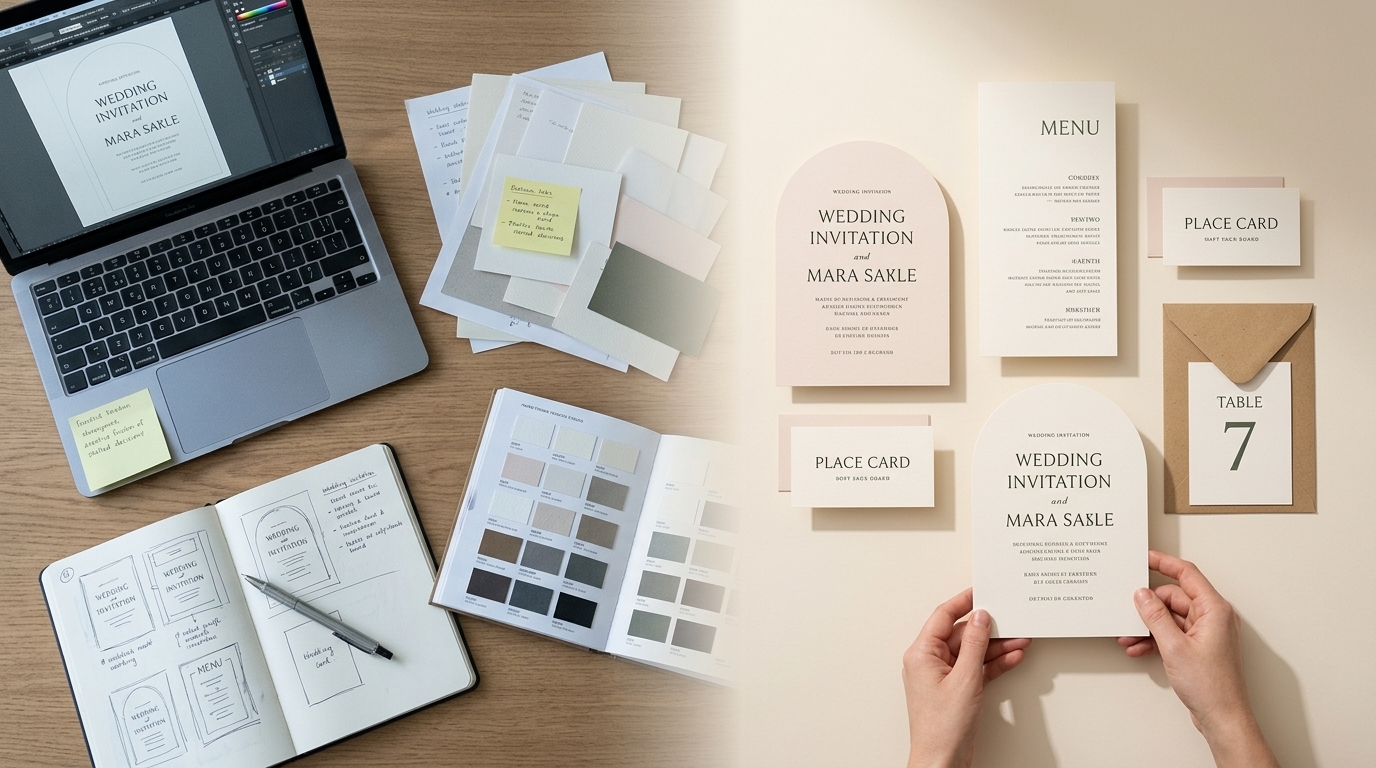
    Professional production of wedding stationery for independent designers

    At its simplest, the relationship is straightforward: you supply the design and print-ready artwork; your production partner makes it.

    Depending on the product, that can involve printing, cutting, creasing, folding and other production processes. It also gives you access to professional papers and boards without having to purchase and store numerous different stocks yourself.

    For a stationery business, this means production becomes a service you can call upon when you need it rather than a capability you have to own.

    White-label production keeps your brand in front

    For trade customers, production should sit quietly behind your own business.

    A white-label service allows stationery to be manufactured on your behalf without Wedding Print Works becoming the brand your customer sees. You continue to own the design and the customer relationship; we provide the production capability behind it.

    This is particularly useful for Etsy sellers and independent designers who want to offer professionally manufactured stationery without investing in commercial printing and finishing equipment.

    Professional printing opens up more material choices

    Paper is an important part of a stationery design. Colour, texture, thickness and surface can substantially alter the character of the finished piece.

    Outsourcing production can give you access to a broader selection of papers and boards than would be practical to keep in your own studio. It also means you don’t necessarily have to purchase large quantities of specialist stock simply to introduce another option to your range.

    This gives you the opportunity to develop collections around different materials and price points while keeping your own stockholding relatively simple.

    Digital cutting removes the rectangle

    One of the most interesting ways to expand a stationery collection is through shape.

    Traditional guillotine cutting is ideal for rectangular products, but digital cutting makes other formats possible. Arches, scalloped edges, waves and other shaped designs can turn relatively simple artwork into a much more distinctive physical product.

    For a designer, the important point isn’t the cutting technology itself. It’s that you can incorporate shape into the design without having to work out how you’re going to cut every invitation yourself.

    Expand your range without expanding your print room
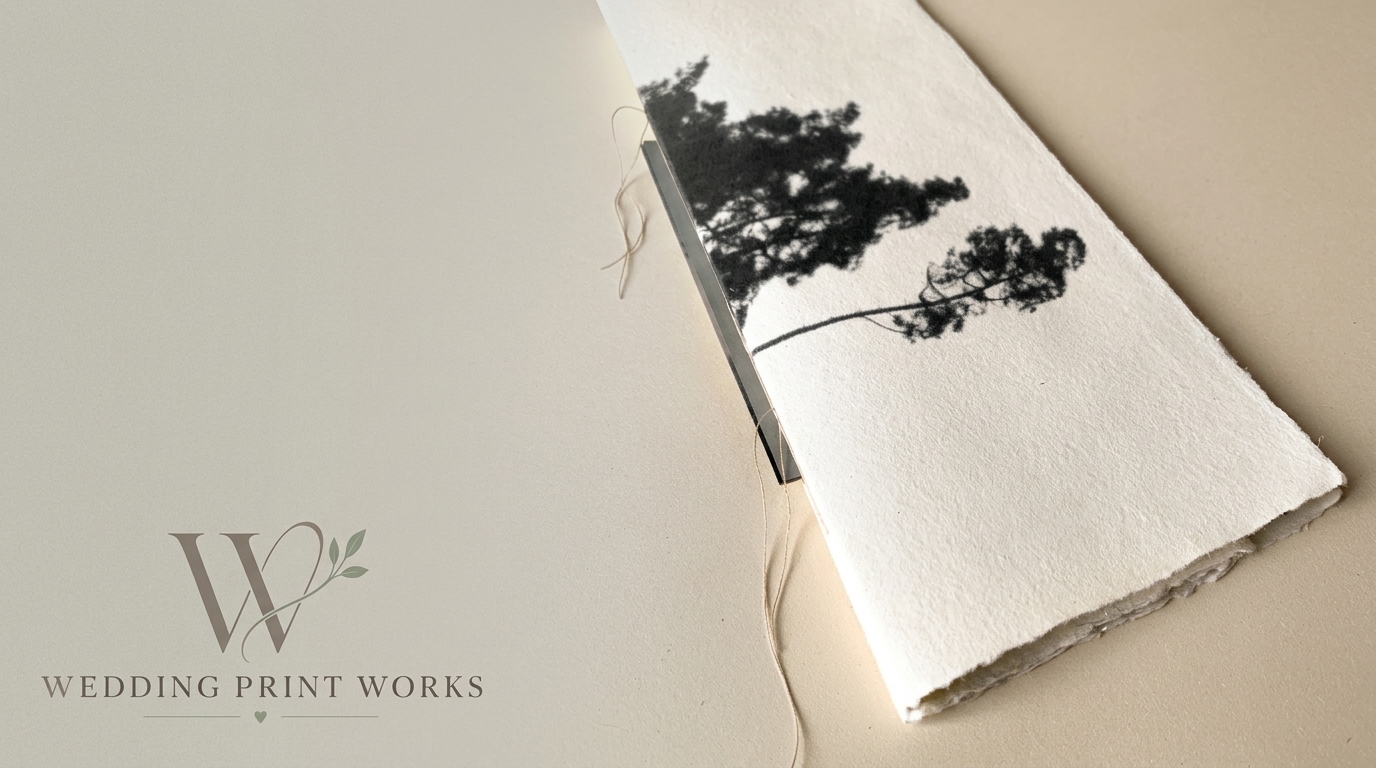
    Shaped wedding stationery printed and finished for designers

    Outsourcing production isn’t simply about producing the invitations you already sell. It can allow you to offer products that previously weren’t practical.

    A single wedding design, for example, could potentially become a coordinated collection including:

    • save the dates
    • wedding invitations
    • information cards
    • RSVP cards
    • menus
    • place cards
    • table numbers
    • orders of service
    • thank you cards

    The same design language can be carried across different sizes, papers and shapes. That allows you to increase the value of an existing design without necessarily having to create an entirely new collection.

    Production can also become a scaling decision

    Many stationery businesses begin by producing everything themselves, and there is nothing wrong with that. For smaller volumes, it can make perfect sense.

    The difficulty often appears as the business grows.

    Printing, trimming, checking, sorting and packing ten orders is one thing. Doing the same work for dozens of orders while also answering enquiries, creating new designs, managing listings and marketing the business is another.

    At that point, the question isn’t necessarily whether you can continue producing everything yourself. It’s whether production is still the best use of your time.

    Outsourcing some or all of the manufacturing allows you to spend more of that time on the parts of the business that only you can do: creating designs, finding customers and building your brand.

    You don’t have to outsource everything

    Using a trade printer doesn’t have to mean handing over your entire production process.

    You might use a production partner only for particular products, specialist shapes, certain papers or larger orders. You might continue making some products yourself and outsource others. Or you might eventually move most production out of your studio.

    The right approach depends on your business, order volumes and the type of stationery you sell.

    The important thing is that your production capabilities no longer have to define the boundaries of your product range.

    What should you look for in a wedding stationery production partner?

    If another business is manufacturing products that will ultimately carry your name, print quality is only part of the equation.

    It’s worth considering:

    • Consistency: Can they reproduce work reliably from one order to the next?
    • Paper choice: Do they offer stocks appropriate for the type of stationery you sell?
    • Production capability: Can they produce the sizes, shapes and products you want to offer?
    • Artwork support: Can they help identify potential production problems before something is printed?
    • White-label service: Can the finished product be supplied without competing branding?
    • Scalability: Can they support both small orders and increasing volumes as your business develops?
    • Communication: Can you actually speak to someone who understands print when you need help?

    A good trade relationship should make your business easier to operate, not introduce another layer of complexity.

    Your creativity. Our production. Your brand.

    Wedding Print Works is being built around a straightforward idea: wedding stationery designers shouldn’t have to become printing and finishing specialists simply to grow their businesses.

    You create the designs and decide what you want to offer your customers. We provide the professional production capability to turn those designs into finished stationery.

    You design it. We make it.

    Discover Wedding Print Works for designers →

    Frequently asked questions

    What is white-label wedding stationery printing?

    White-label production means another company manufactures your stationery without presenting the finished product as its own brand. For a wedding stationery designer, this allows you to outsource production while keeping your own business and brand in front of your customer.

    Do I have to outsource all of my stationery production?

    No. You can use a trade production partner for as much or as little of your range as makes sense. For example, you might outsource shaped stationery and larger orders while continuing to make simpler products yourself.

    What is digital cutting?

    Digital cutting uses computer-controlled cutting equipment to cut printed material into specified shapes. For wedding stationery this can make formats such as arches, scalloped edges and waves practical without requiring the designer to cut each item manually.

    Who is trade wedding stationery printing for?

    It can be useful for independent wedding stationery designers, Etsy sellers, graphic designers, calligraphers and established stationery businesses that want access to professional production without bringing every printing and finishing process in-house.

    Can outsourcing production help me expand my stationery range?

    Yes. Access to additional papers, production equipment and cutting capabilities can allow you to introduce products that may not be practical to manufacture with your existing equipment. It can also free up time that would otherwise be spent producing orders manually.