If you sell wedding invitation templates on Etsy, adding printed products can open up a new way to serve customers. You can keep your designs, brand and customer relationships without buying printing equipment or managing every production step yourself.
The key is to prepare artwork for physical production, decide how orders will be handled, and work with a production partner whose processes suit your products. Here’s how to approach the move from digital downloads to printed stationery.
Plan how printed orders will work
Start by deciding what you will sell and how each order will be produced. Some designers offer fixed designs, while others personalise names, dates or wording after a customer orders. In either case, check that the artwork and order details are complete before sending a file to print.
Consider the customer journey too: what information you need at checkout, how personalisation will be confirmed, who will package and dispatch the stationery, and how you will handle reprints or changes. Agreeing these details with your production partner helps avoid confusion once orders start coming in.
Check whether your artwork is ready for print
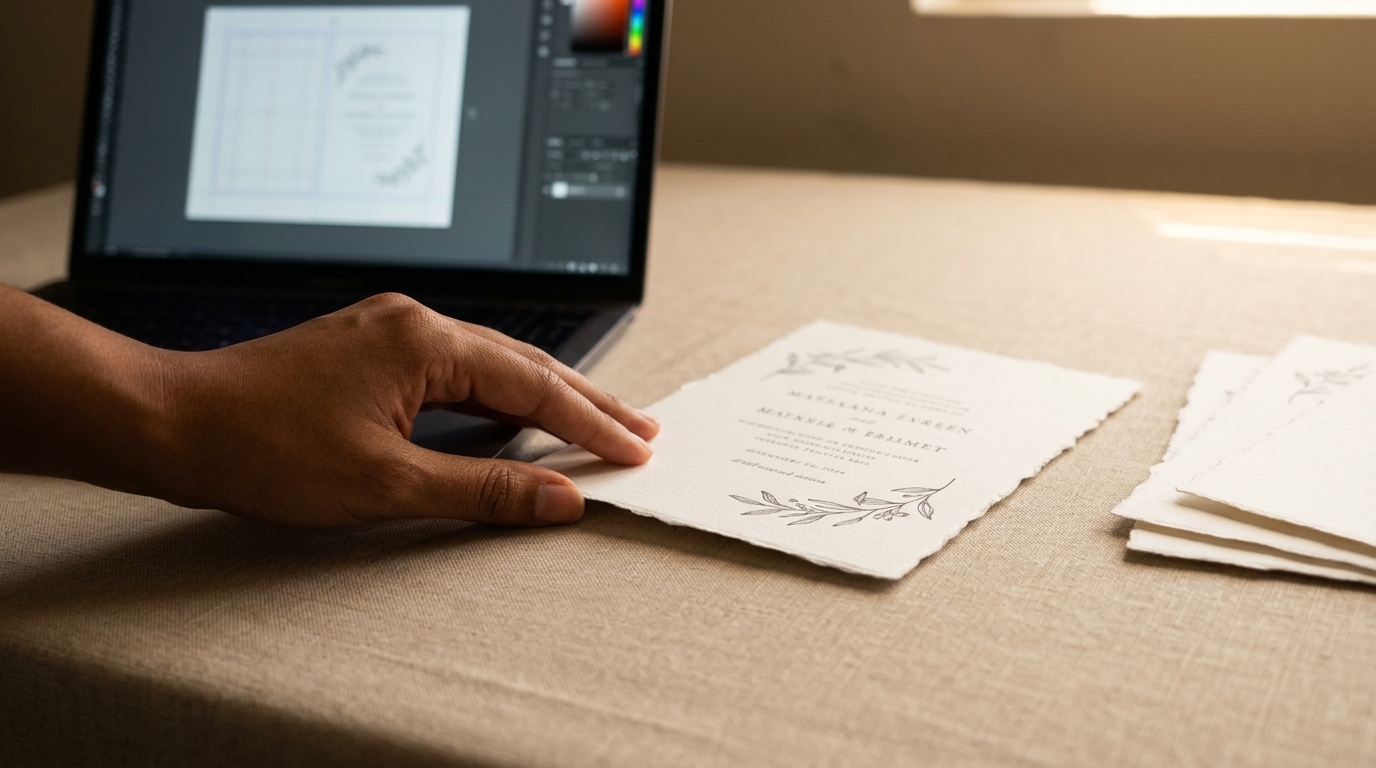
A design that looks good on screen may need adjustments before it can be printed. Check the finished size, image quality, fonts, colour setup and any production requirements for the chosen paper or shape. Ask your printer for its file specifications before preparing a template; requirements can vary.
Use suitable files and image resolution
A print-ready PDF is often a practical format, but follow the printer’s instructions. Keep vector artwork as vector where possible. For raster images, such as photographs, check that their effective resolution is suitable at the size they will be printed. Around 300 pixels per inch is a common guide for many stationery images, but the right setting can depend on the artwork and production method.
Make sure fonts are embedded in the PDF or handled in the way your printer requests. If a file contains linked images, confirm they are included in the export. A preflight check can help catch missing fonts, low-resolution images and incorrect page dimensions before production.
Set the page size, bleed and safe area
Set the document to the agreed finished size. If colour or artwork runs to the edge, include bleed beyond the trim line so small variations in cutting are less likely to leave an unwanted white edge. The bleed amount is not universal, so use the measurement specified by your printer.
Keep names, wording, borders and other important details safely inside the trim area. This is especially important for shaped stationery, where the cut line may bring parts of the design closer to an edge than on a standard rectangle. Use a supplied template or confirm the cutting requirements before finalising the layout.
Prepare colour with the printer’s guidance
RGB is designed for screens, while printing commonly uses CMYK or another production-specific colour workflow. Converting a file from RGB to CMYK can change some colours, so do not assume a conversion will reproduce an on-screen colour exactly. Ask your printer which colour profile or PDF settings to use, and whether a proof is available for checking the result.
Choose paper and format for the design
Paper affects how a design looks and feels, as well as how it works as part of a stationery set. Think about the style of the artwork, the amount of text, the intended use and how the invitation will be handled. If you are considering a particular paper or board, ask what is available and request samples where possible before listing it as an option.
Plan coordinated items together rather than treating the invitation as a standalone product. Save-the-dates, information cards, menus, place cards and table stationery can give customers a coherent set and help you extend a design across more products.
Shape can also become part of a collection’s identity. Arches, waves and scallops are examples of distinctive formats to explore, provided the artwork is set up to the agreed cutting template and the production requirements are confirmed in advance.
Find a production partner that fits your business
A trade printer handles physical production, so you do not need to invest in a printer or take on every finishing task yourself. Look for a partner who can explain file requirements, discuss suitable paper and formats, and help you understand how orders move from approved artwork to finished stationery.
Before committing a design to a product listing, clarify practical points such as file submission, proofing, packaging, dispatch and how customer details will be managed. If you want to sell under your own brand, ask whether the service supports white-label production and agree how the stationery will be presented to your customer.
Make outsourcing work commercially
Outsourcing does not remove the need to price carefully. Include production, packaging, delivery, Etsy fees, personalisation time and the cost of any proofs or samples when working out your margins. Set clear expectations for customers about what they need to provide and when their wording or artwork changes can still be made.
It can also help you test a small, focused range before expanding. Start with designs that adapt well to several formats, then use customer interest and order patterns to decide which coordinated products to add. A production partner can take on the physical work while you concentrate on design, marketing and customer service.
Wedding Print Works provides trade wedding stationery printing for designers and stationery businesses. Designers retain their own brand and customer relationships while outsourcing production across coordinated wedding stationery, with a range of papers, boards, sizes and shapes to consider.
Frequently asked questions
Do I need to buy a printer to sell printed invitations on Etsy?
No. You can outsource production to a trade printer. You will still need a process for collecting customer details, approving artwork and arranging fulfilment, but you do not need to print the stationery yourself.
What file should I send to a trade printer?
A print-ready PDF is often suitable, but always follow the printer’s file specifications. Check the finished dimensions, image resolution, fonts, colour settings and bleed before submitting artwork.
Does every design need 3mm bleed?
No single bleed amount applies to every job. The required bleed depends on the printer’s production specifications. Ask for the correct measurement and keep important content inside the safe area.
Should I convert my artwork to CMYK?
Use the colour settings requested by your printer. CMYK is common in print production, but colour conversion can change the appearance of some colours. Ask about the recommended profile and proofing process rather than assuming an on-screen colour will reproduce exactly.
Can I offer shaped invitations and matching stationery?
Distinctive shapes such as arches, waves and scallops can help a collection stand out. Confirm the available formats and cutting requirements with your production partner, then build the artwork to the appropriate template.